process-timeline
Процес·Шаблон: Kanun - Attorney & Law Agency HTML Template·Складність анімації: subtle·Адаптивний: Так
Файли-джерела
- index.html
section.our-process-section
Бібліотеки
aos
Summary
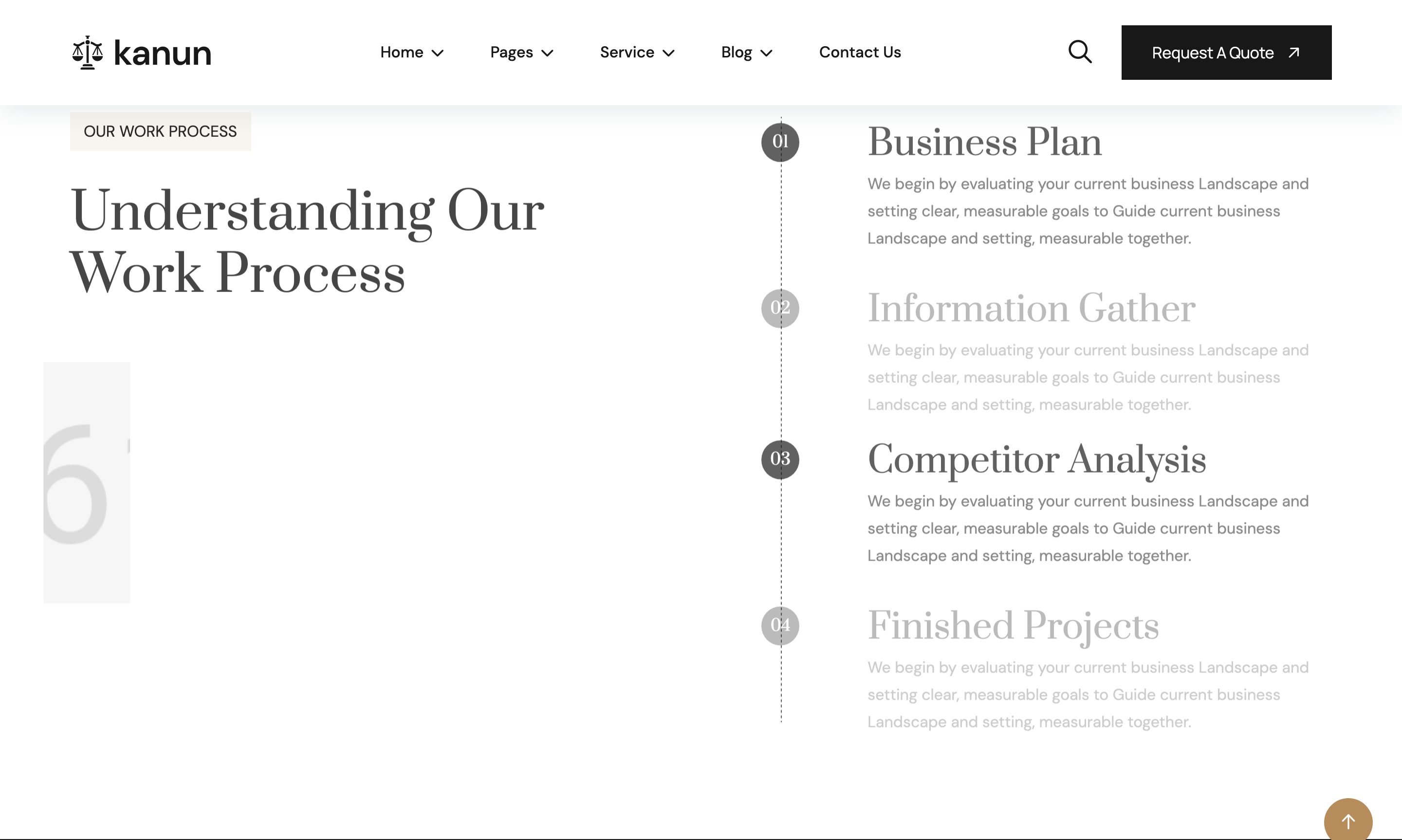
Two-column process band: a section title and tall process photo on the left, and four numbered steps (01..04) on the right anchored to a vertical dashed line graphic. Each step pairs a serif number, an H3 and a paragraph. Steps reveal sequentially via wow fadeInUp with staggered delays.
HTML structure (minimal)
<section class="our-process-section section-padding fix">
  <div class="container">
    <div class="process-wrapper margin-bottom-40">
      <div class="row g-4">
        <div class="col-lg-6">
          <div class="section-title">
            <span class="sub-title">OUR WORK PROCESS</span>
            <h2>Understanding Our <br> Work Process</h2>
          </div>
          <div class="process-image img-custom-anim-left wow">
            <img src="assets/img/process/01.jpg" alt="">
          </div>
        </div>
        <div class="col-lg-6">
          <div class="process-content">
            <div class="process-ber">
              <div class="line-shape">
                <img src="assets/img/process/line-shape.png" alt="">
              </div>
              <div class="process-items wow fadeInUp" data-wow-delay=".3s">
                <h6 class="number">01</h6>
                <div class="content">
                  <h3>Business Plan</h3>
                  <p>We begin by evaluating your current business landscape...</p>
                </div>
              </div>
              <!-- 02 / 03 / 04 with alternating .3s/.5s delays -->
            </div>
          </div>
        </div>
      </div>
    </div>
  </div>
</section>
Key SCSS tokens
.our-process-section { padding-block: 120px; }
.process-ber {
  position: relative;
  padding-left: 80px;
  .line-shape {
    position: absolute;
    left: 28px; top: 0; bottom: 0;
    img { height: 100%; }
  }
}
.process-items {
  position: relative;
  margin-bottom: 32px;
  .number {
    font-family: "Prata", serif;
    font-size: 32px;
    color: var(--theme);
    width: 56px; height: 56px;
    border: 1px solid var(--theme);
    border-radius: 50%;
    display: grid; place-items: center;
    position: absolute; left: -80px; top: 0;
    background: var(--white);
  }
  .content h3 { font-family: "Prata"; font-size: 24px; }
}
Animation logic
// WOW.js + Waypoints sequence the .process-items entries with the
// data-wow-delay values (.3s, .5s, .3s, .5s) creating an A/B cadence.
new WOW().init();
Notable details
- The dashed line is a PNG (
assets/img/process/line-shape.png) — cheap, scales weirdly on long lists. Replace with a CSSborder-left: 1px dashed var(--border)if extending beyond 4 steps. - Numbers float OUT of the
.process-berleft padding (negativeleft: -80px), so the typography reads as a bullet glyph rather than a counter inside the box. - Wow delays alternate
.3s / .5s / .3s / .5s— pairs reveal together giving a 2-step rhythm rather than a strict 1-2-3-4 cascade.
Use when
- Service workflows of 3–6 steps where each step needs a paragraph, not just a label.
- Pages where the steps should sit beside an image rather than across a full row.
Caveats
- The
line-shape.pngis fixed-height — number of items > 4 will stretch or repeat awkwardly.